
Een nieuwe mailbox toevoegen aan Outlook 2016 dat je krijgt bij je Microsoft Office 365 Business Premium licentie is niet zo moeilijk.
- Open Outlook
- Klik links boven op Bestand
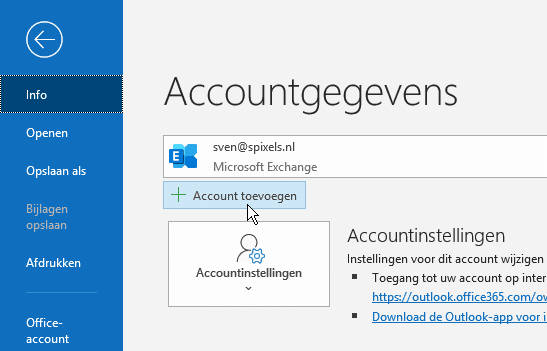
- Klik op Account toevoegen
Vul vervolgens het e-mailadres en bijbehorende wachtwoord in.